


Comic maker - Arcstory
2.733.00 Reviews
App Specs
- Version
- 3.8.9
- Updated On
- License
- Free
- Downloads
- 100,000+
- Developer
- Wallet Passes Alliance
- Categories
- Comics
- Platform
- Android, iOS
Screenshots
 Analysis by AppCompare
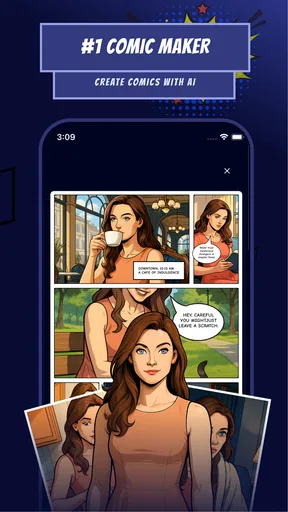
I approach Comic maker - Arcstory as a quick way to turn a story idea into comic-shaped pages, rather than as a replacement for a full illustration studio. That distinction matters: an AI-assisted comic maker can help you get past a blank page, but it may not offer the precise control an experienced artist wants. I’d consider it when I have a scene in mind and want to explore how it could read as a comic, while keeping my expectations realistic about the amount of polishing any generated work may need.
Quick ideas are a better fit than a rushed finished comic
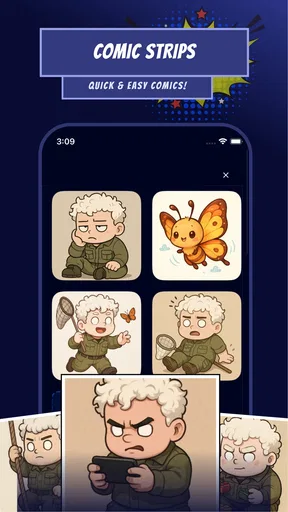
For speed, the useful question is not whether every step happens instantly, but whether the app helps me move from an idea to something I can evaluate without setting up a complicated art workflow. A short scene, a character exchange, or a rough sequence is a sensible first test. I would start with one clear moment rather than a sprawling plot: it is easier to judge whether the result feels coherent when the request has a focused beginning, action, and ending.
That approach also makes experimentation less frustrating. I can compare a few directions for the same scene, decide what is worth keeping, and then spend time refining the strongest version. If I begin with a long, detailed story, small mismatches can become harder to spot and the work of fixing them may outweigh the time saved at the start. In my view, Arcstory is most appealing as a creative launchpad, not a promise that a complete, publication-ready comic will appear without revision.
What happens when a project gets more demanding?
Comic making becomes more challenging when a story depends on consistency. A character should look recognizable across panels, dialogue must fit the available space, and the sequence needs to make sense when read from one moment to the next. Those are useful checks for any AI-assisted workflow, including one aimed at comics, manga, and manhwa. I would review each page as a reader, not just admire individual images: does the action remain clear, do the characters seem to belong in the same story, and does the text support the scene?
A practical tip is to keep the first project small enough that you can inspect every panel before sharing it. If something feels off, simplify the scene or adjust the idea rather than piling more instructions onto an already tangled result. This gives me a clearer sense of whether the problem comes from the concept or from the generated output, and it prevents an early experiment from turning into a lengthy repair job.
I would also treat dialogue as part of the page design, not an afterthought. A line that sounds good in a script can be too long for a bubble or can compete with the image. Writing concise exchanges before building a sequence gives the art room to breathe and makes it easier to notice when the pacing drags. For a creator who enjoys drafting stories but struggles to visualize them, that back-and-forth between words and images is a real reason to try the app.
Reliability means checking the work, not trusting the first pass
My standard for reliability here is simple: can I review what the app gives me, spot problems, and decide what to do next? AI creativity tools can be unpredictable by nature, so I would not assume every attempt will match the picture in my head. That does not make the app useless; it means I would use it for exploration and accept that a useful draft may take more than one try.
Worth Reading Before You Choose

EA SPORTS FC Mobile 26 Is a Bigger Football Game, but It Takes Time

Flipboard Shows What News Apps Must Do Beyond the Feed

Switching to Android Auto Means Rethinking Your Driving Routine

Google Calendar Makes a Crowded Week Easier to Manage

Ludo King Makes the Most of the Minutes Between Plans

Baby Panda World Brings Quick Play to Modern Phones, but Its Game Library Feels Busy
Before investing a long session in a comic, I’d make a modest test project and see how the workflow feels on my own device. I’d also keep a separate copy of any writing, character notes, or rough plan that I care about. That is a sensible habit with any creative app, especially when a project matters to you: it protects the part you created even if you later decide to change tools or rebuild the visual sequence.
There is a trade-off between convenience and control. A traditional drawing app gives me direct, deliberate input, but asks me to do more of the image-making myself. Arcstory’s AI-led premise is more tempting when I want to explore a visual idea quickly; it is less compelling if I need exact line work, repeatable character designs, or fine control over every panel. I would choose based on the task, rather than expecting one app to suit every stage of making comics.
Device fit, cost, and who should give it a pass
Arcstory is a free comics app from Wallet Passes Alliance, with in-app purchases ranging from $0.99 to $99.99 per item. I’d try a small project before spending anything, then judge whether the results and workflow justify a purchase for my own needs. The range makes it especially important to check the offer shown in the app before committing; a free download does not mean every part of a creative workflow will necessarily be free.
It is rated for Everyone, has a 2.7 average from around 560 ratings, and has been installed over 100,000 times. Those figures are a reason to arrive with measured expectations, not a substitute for trying the app yourself. It was released on June 3, 2024, and version 3.8.9 requires Android 7.0 or later. If your device meets that requirement, a short trial is still the best way to see how smoothly your own phone handles the work; I would avoid assuming performance will be identical across devices or larger projects.
I’d recommend giving it a look if you like comics but need help getting from an idea to a visual draft, or if you want a low-pressure way to experiment with manga- or manhwa-style storytelling. I’d be more cautious if my priority were a dependable professional drawing environment, exact control over every detail, or a finished comic ready to publish without hands-on checking. Those users may be better served by a conventional art app or a workflow that combines separate writing and illustration tools.
Getting Started: Unleashing Your Inner Artist
First things first, downloading and setting up Comic maker - Arcstory was a breeze. The interface is intuitive, even for those who might not be tech-savvy. As soon as you open the app, you're greeted with a clean layout that invites you to start creating right away. No complicated tutorials to wade through—just pure, unadulterated creativity at your fingertips.
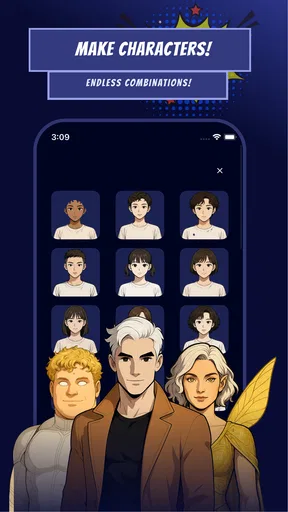
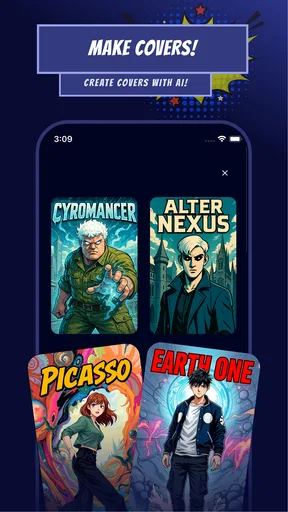
The app offers a variety of templates and styles, perfect for those who might need a little inspiration to get started. Whether you're into manga, superhero adventures, or quirky indie comics, there's something here to suit your style. I spent a good chunk of my evening just experimenting with different looks and feels, and I was genuinely impressed by the range of options available.
The Tools: Where Magic Happens
Now, onto the tools. This is where Arcstory truly shines. The drawing toolkit is robust without being overwhelming. You've got everything from basic pens and brushes to more specialized tools like gradient fills and texture brushes. The layering system is a godsend for anyone who's ever messed up a drawing and wished for a magical undo button.
One feature I particularly loved is the ability to import your own images. Got a killer sketch on paper? Snap a pic and bring it into your digital canvas. It integrates seamlessly, allowing you to blend traditional and digital art in ways I hadn't even considered before.
Storytelling: Crafting Your Arc
But what’s a comic without a story, right? Arcstory doesn’t leave you hanging in that department either. The app includes a storyboard feature that helps you map out your narrative arc. As someone who often gets lost in the flow of drawing and forgets the story, this was a lifesaver. It’s like having a mini director in your pocket, ensuring your story remains cohesive and engaging.
There are also text bubbles galore. From classic speech bubbles to thought clouds, the app offers customizable options that let you tweak font, size, and color. This made it easy for me to convey exactly what my characters were thinking, adding depth to my storytelling.
Sharing Your Masterpiece
After spending hours perfecting your work, you’ll want to share it with the world. Thankfully, Arcstory makes this process straightforward. You can export your comics in several formats, suitable for printing or sharing on social media. I had my latest creation up on Instagram within minutes, and the feedback was fantastic.
There’s a built-in community feature as well, allowing you to connect with other creators. I found this aspect particularly rewarding as it fostered a sense of camaraderie and provided a platform for feedback and collaboration.
Final Thoughts: Why You Should Try It
In conclusion, Comic maker - Arcstory is a fantastic app for both budding artists and seasoned pros. Its user-friendly interface, comprehensive toolkit, and storytelling features make it a must-have for anyone interested in comics. Plus, the community aspect adds an extra layer of engagement that's genuinely enjoyable.
If you've ever wanted to bring your stories to life in comic form, give this app a try. You might just find yourself hooked, like I did. Whether you’re sketching on the subway or crafting a narrative masterpiece at your desk, Comic maker - Arcstory is there to make your comic dreams a reality.
Pros
- User-friendly interface for easy comic creation.
- Wide variety of templates and assets available.
- Supports high-resolution exports for printing.
- Seamless integration with social media platforms.
- Regular updates with new features and content.
Cons
- Limited free assets; many require purchase.
- Occasional app crashes on older devices.
- In-app ads can be intrusive at times.
- No offline mode; requires constant internet.
- Limited text font options for customization.
FAQs for Comic maker - Arcstory
What is Comic Maker - Arcstory?
Comic Maker - Arcstory is a versatile app designed for creating comics and graphic stories on both Android and iOS devices. It provides a range of tools and features that allow users to craft visually engaging stories with ease. Whether you're an aspiring artist or a seasoned creator, this app offers everything you need to bring your ideas to life.
What features does Comic Maker - Arcstory offer?
Comic Maker - Arcstory offers a variety of features including customizable templates, a comprehensive library of backgrounds and characters, text bubbles, and special effects. Users can also import their own images and art, allowing for personalized creation. The app supports layering and advanced editing options for a professional finish.
Is Comic Maker - Arcstory user-friendly for beginners?
Yes, Comic Maker - Arcstory is designed to be intuitive and user-friendly, making it accessible for beginners. The app provides tutorials and a straightforward interface that guides users through the creation process. With drag-and-drop functionality and easy-to-use editing tools, even those new to comic creation can start crafting their stories quickly.
Are there in-app purchases or subscriptions?
Comic Maker - Arcstory offers both free and premium versions. While the basic features are accessible for free, there are in-app purchases available for additional content and advanced features. Users can opt for a subscription model to access exclusive templates, effects, and regular updates, enhancing their creative experience.
Can I share my comics created in Comic Maker - Arcstory?
Yes, you can easily share your creations directly from Comic Maker - Arcstory. The app allows you to export your comics in various formats and share them on social media platforms or with friends and family. This feature enables creators to showcase their work and engage with a wider audience effortlessly.


